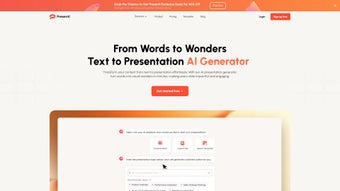

Download Presenti – AI‑Powered Presentation Builder, Text‑to‑Slides, Free & Secure
Overview: Transform Text into Engaging Presentations Easily
In today’s fast‑paced business environment, the ability to turn ideas into clear, compelling visuals is no longer a luxury—it’s a necessity. Presenti answers that demand with an AI‑driven web application that converts raw text, Word documents, and PDFs into polished slide decks in seconds. Built for marketers, educators, product managers, and anyone who regularly presents information, Presenti removes the manual, time‑consuming steps of slide design while preserving the author’s unique voice and branding preferences.
The platform works entirely in the browser, meaning there is no heavy software to install, and users benefit from continuous updates that keep the AI models current. Whether you need a quick 5‑minute briefing for a team meeting or a fully‑fledged keynote for a conference, Presenti offers a seamless workflow: paste your content, select a template, let the AI craft the layout, and then fine‑tune the result with intuitive editing tools. The built‑in AI rewriting and polishing engine further ensures that each bullet point, heading, and visual cue is clear, concise, and impactful.
Security is baked into the service; all uploads are encrypted in transit, and the platform adheres to GDPR‑compatible data handling practices. Users can download the final deck in PowerPoint (.pptx) or PDF format, or share a live link that updates automatically when changes are made. By combining powerful automation with a friendly interface, Presenti makes the daunting task of presentation creation feel effortless, allowing professionals to focus on content strategy rather than design minutiae.
Beyond the core conversion, Presenti includes a built‑in analytics dashboard that tracks how often a deck is viewed, which slides attract the most attention, and how collaborators interact with the content. This feedback loop helps presenters refine future decks based on real‑world engagement data. The platform also supports multilingual input, automatically detecting language and applying appropriate typographic conventions, which is especially useful for global teams that need to create localized presentations on the fly.
Core Features & AI Capabilities
- Text‑to‑Presentation Engine: Paste plain text, bullet lists, or markdown and let the AI generate slide structures, titles, and supporting graphics.
- Word‑to‑Presentation Converter: Upload .docx files; the system extracts headings and key paragraphs to build a logical slide flow.
- PDF‑to‑Presentation Processor: Transform existing PDFs into editable slide decks while preserving original images and charts.
- AI Rewriting & Polishing: An optional step that refines language, improves readability, and aligns tone with selected audience personas.
- Template Library: Over 50 professionally designed templates covering business, education, marketing, and product roadmaps.
- Custom Style Preservation: If you upload a brand guideline PDF, Presenti can adopt colors, fonts, and logo placement automatically.
- Live Collaboration: Share a secure link with teammates; changes sync in real time, reducing version‑control headaches.
- One‑Click Export: Download as PowerPoint, PDF, or Google Slides compatible files, or embed the deck directly into a website.
- Secure Cloud Processing: All data is encrypted during upload and storage, and no files are retained longer than 48 hours without user consent.
- Continuous Updates: The AI model receives weekly improvements, ensuring better content suggestions and layout options over time.
The combination of these features positions Presenti as more than just a conversion tool—it acts as an intelligent assistant that understands context, hierarchy, and visual storytelling. For example, when converting a marketing brief, the AI not only creates slides but also recommends appropriate icons, charts, and color palettes that match the industry’s visual language. The rewriting module can switch a formal report into a persuasive pitch, preserving the original meaning while adapting the tone. Such flexibility reduces the need for multiple software licenses, making Presenti a cost‑effective solution for small teams and large enterprises alike.
Another standout capability is the AI‑driven accessibility checker. After a deck is generated, Presenti scans each slide for contrast ratios, alt‑text for images, and readable font sizes, automatically suggesting adjustments to meet WCAG 2.1 AA standards. This ensures that presentations are inclusive and ready for any audience, a feature rarely found in competing tools. Additionally, the platform offers an API that lets developers embed the conversion engine into internal portals or learning management systems, extending its utility beyond the web UI.
Installation, Usage & Compatibility
Because Presenti is a web‑based service, there is no traditional installation process. Users simply navigate to presenti.ai, create a free account, and begin converting content immediately. The onboarding wizard guides new users through the first conversion, explaining how to upload files, select a template, and fine‑tune the AI‑generated slides.
Step‑by‑step usage guide:
- Create an account: Sign up with an email address or use Google/Apple SSO for instant access.
- Choose an input method: Paste text, upload a .docx file, or drag‑and‑drop a PDF into the conversion window.
- Select a template: Browse the library and pick a design that matches your brand or presentation purpose.
- Run the AI conversion: Click “Generate Slides.” The engine analyses the content, creates a slide outline, and applies visual elements.
- Polish and edit: Use the built‑in editor to move, delete, or re‑write any slide. Activate the AI polishing tool for language enhancement.
- Export or share: Download the deck in your preferred format or generate a shareable link for collaborators.
Compatibility: Since all processing occurs in the cloud, Presenti works on any modern operating system with a web browser—Windows 10/11, macOS Monterey and later, Linux distributions, as well as mobile platforms like Android 8+ and iOS 13+. The responsive design ensures a smooth experience on tablets and smartphones, although the full editing suite is optimized for desktop screens.
System requirements are minimal: a stable internet connection (minimum 3 Mbps recommended) and a recent browser version (Chrome, Edge, Firefox, Safari). No plugins or additional runtimes are needed, making it an ideal solution for remote teams that operate across diverse device ecosystems. For power users, Presenti also supports keyboard shortcuts (e.g., ⌘ + E for export) and a dark‑mode UI that reduces eye strain during long editing sessions.
Pros, Cons & Expert Review
Pros
- Lightning‑fast conversion from text, Word, or PDF to slides.
- AI rewriting ensures professional tone without losing author voice.
- Extensive template library reduces design fatigue.
- Cross‑platform compatibility – works on Windows, macOS, Linux, Android, iOS.
- Secure cloud processing with GDPR‑compliant data handling.
- Collaboration features eliminate version‑control issues.
- Free tier available; premium plans add higher export resolutions and brand‑kit integration.
- Built‑in accessibility checker for WCAG compliance.
- Analytics dashboard provides insight into slide engagement.
Cons
- Reliance on internet connection; offline editing not supported.
- Advanced custom animations must be added manually after export.
- Free plan limits the number of slides per month.
- Complex data visualizations may require additional manual tweaking.
- API access is limited to higher‑tier subscriptions.
Overall Verdict: Presenti delivers on its promise to turn raw text into engaging presentations with remarkable speed and accuracy. The AI’s ability to preserve brand styling while offering language polishing sets it apart from generic slide generators. While the need for an internet connection is a minor drawback, the benefits of cloud‑based updates and collaboration outweigh this limitation for most professional environments. For teams looking to streamline the creation of decks without sacrificing quality, Presenti is a compelling, cost‑effective choice.
Frequently Asked Questions & Final Verdict
Is Presenti really free to use?
Presenti offers a free tier that includes up to 10 slide conversions per month, access to basic templates, and standard export options. For power users, premium subscriptions unlock unlimited conversions, premium template packs, brand‑kit integration, and higher‑resolution exports.
Can I keep my data private when using the AI?
Yes. All uploads are encrypted via HTTPS, and Presenti does not store files longer than 48 hours unless you explicitly save them to your account. The service complies with GDPR and CCPA regulations, ensuring personal and corporate data remain confidential.
What export formats are supported?
Presenti allows you to download your final deck as PowerPoint (.pptx), PDF, or a Google Slides‑compatible file. You can also generate a shareable web link that updates in real time as you edit.
Does the AI handle complex charts and data visualizations?
The AI can automatically create basic bar, line, and pie charts from simple data tables. For more intricate visualizations, you may need to fine‑tune the slides after export, but the initial layout provides a solid foundation.
How often does Presenti receive updates?
Presenti’s AI models and template library are refreshed on a weekly basis, ensuring you benefit from the latest design trends and language improvements without needing manual updates.
Final Verdict
If you spend hours crafting slide decks from scratch, Presenti can reclaim that time for strategic work. Its AI‑driven conversion, robust template ecosystem, and seamless collaboration make it a standout tool for any professional who values both speed and polish. Download Presenti today, start with the free tier, and experience how effortless presentation creation can be.
Download Presenti now and transform your text into compelling visuals in seconds.



.png)



